How to Make Your Website AI-Ready
A practical, structure-first guide to making your website easier for AI systems to read, understand, and trust, without generic AI hype.
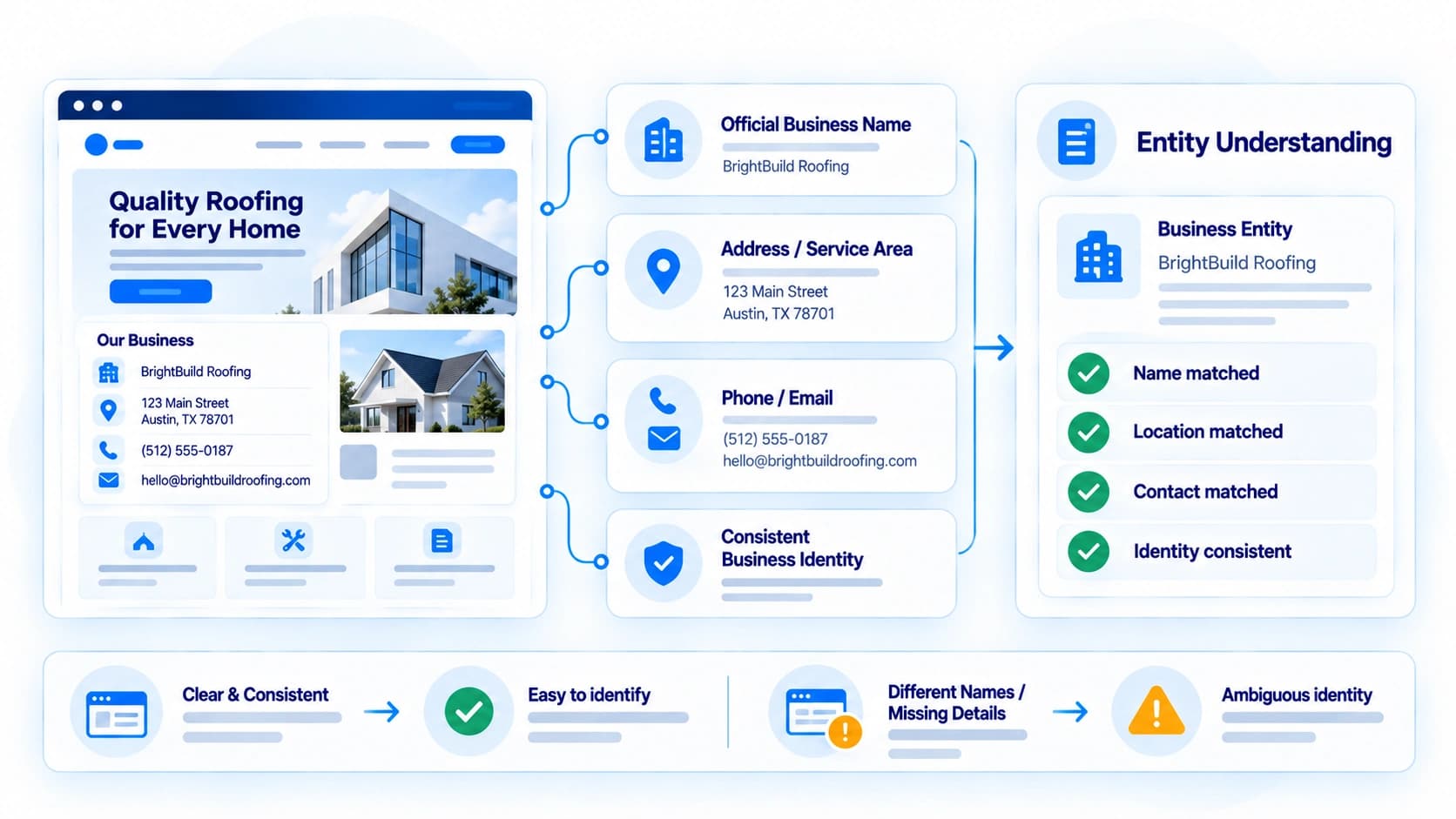
"Make your website AI-ready" gets thrown around a lot, usually without much explanation of what it actually requires. Strip away the buzzwords and it comes down to something fairly concrete: making sure the facts an automated reader needs are stated explicitly, organized predictably, and technically accessible, rather than implied, scattered, or hidden behind scripts.
None of what follows requires a website rebuild. Most of it is copy and markup work you can do inside your existing site. This guide walks through the practical changes in roughly the order they tend to matter most.
This is not a citation guarantee, and no honest guide can offer one. What follows improves the conditions under which an automated system can find, interpret, and verify your information. Whether a specific assistant ends up mentioning or linking to you on a specific query depends on factors outside any website's direct control.
Start With Business Identity, Stated Plainly
Before anything else, an automated reader needs to resolve who you actually are. That means your official business name, primary address (or clearly stated service area if you're not location-bound), and a working phone number or email, stated in plain text somewhere prominent, not only inside a logo image or a contact form with no visible details.
Consistency matters as much as presence. If your homepage says "Smith Plumbing" but your footer copyright line says "Smith Plumbing LLC" and your Google Business Profile says "Smith Plumbing Co.", you've created exactly the kind of ambiguity that makes an automated system hesitate to treat those as the same entity.
Describe Services in Specific, Checkable Terms
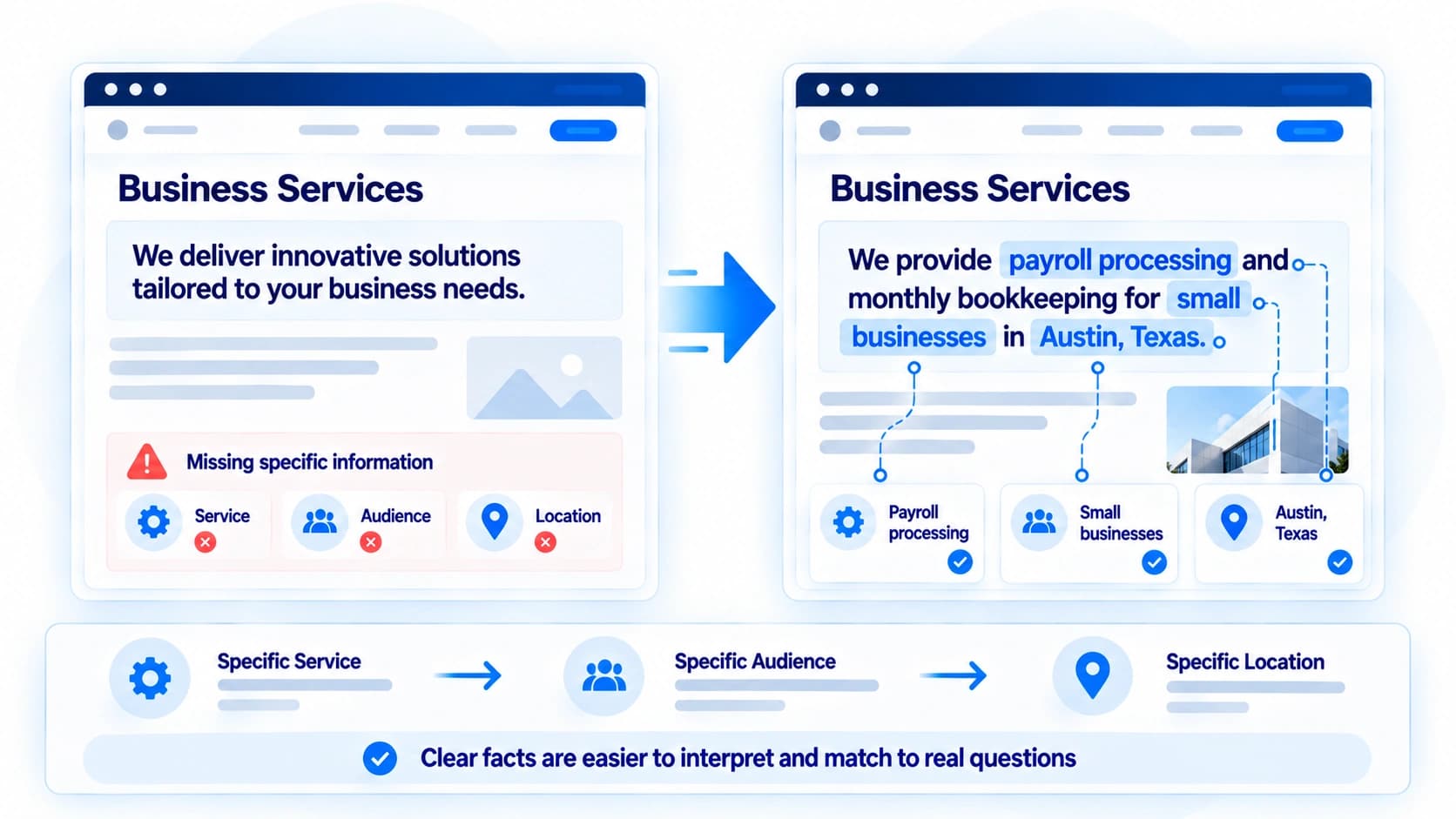
Vague marketing language is the single most common thing standing between a website and machine readability. Phrases like "innovative solutions" or "trusted partner" carry no extractable fact. An automated reader can't turn them into an answer to any real question.
The fix is to write answer-first: name the specific service, the specific audience, and the specific location or scope in plain sentences, ideally within the first paragraph of the page they belong to.
Practical Copywriting Comparisons:
"We deliver innovative solutions tailored to your business needs."
No service category, no audience, no location. Nothing here can answer a real question.
"We provide payroll processing and monthly bookkeeping for small businesses in Austin, Texas."
Names the service, the client type, and the location, three separate, checkable facts.
"Experience the difference with our premium service."
Doesn't say what the service actually is, so it can't be matched to any specific query.
"We provide local and long-distance residential moving services, including packing, storage, and furniture assembly, for customers across the Denver metro area."
States the exact service actions, the property type, and the service area, three separate, checkable facts.
Use a Clear Heading Structure
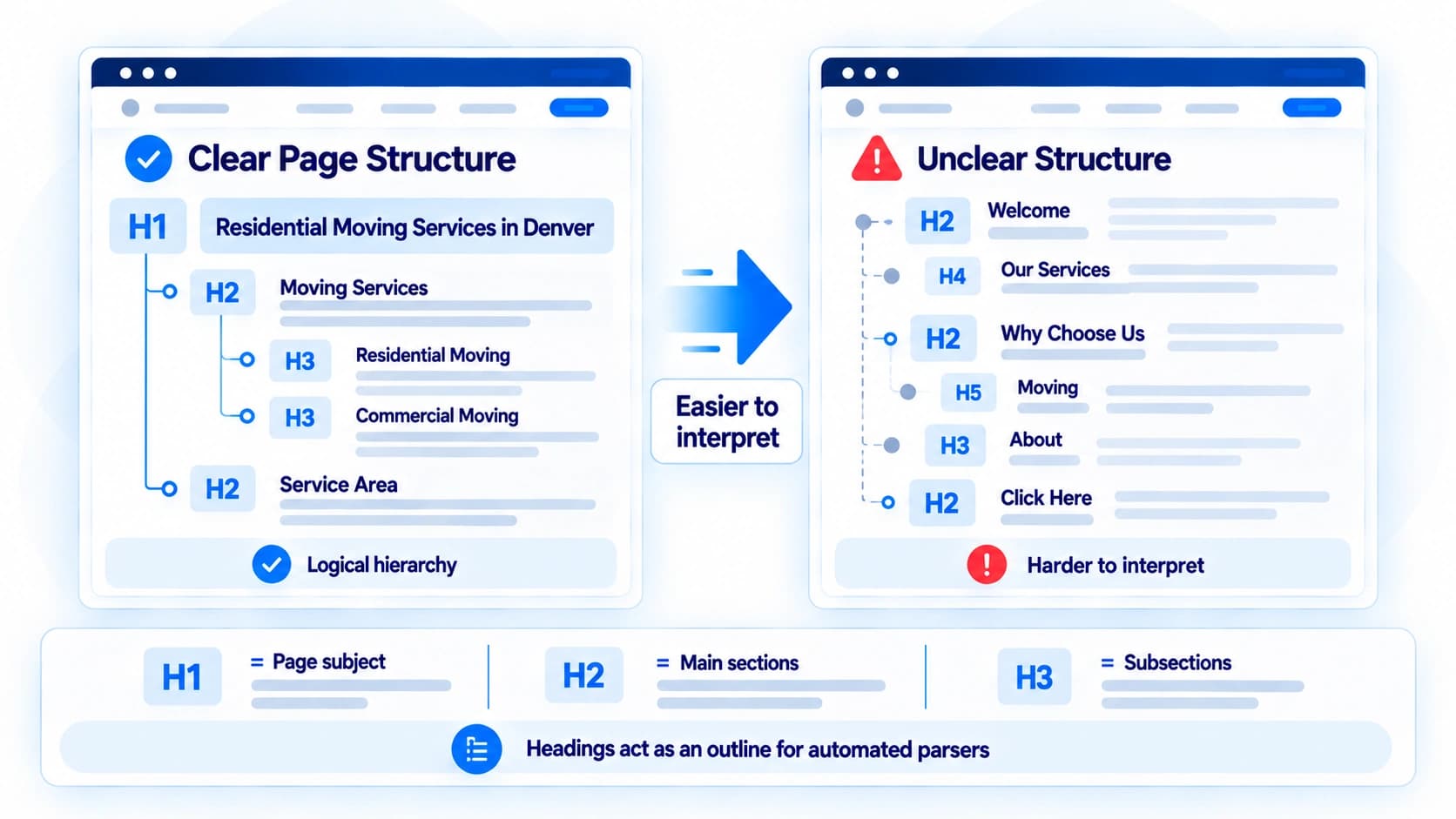
Headings act as an outline for automated parsers, not just visual styling. Each page should have one H1 that names its actual subject, followed by H2s and H3s that logically break that subject into its real parts, in order, without skipping levels.
A page titled "Welcome" tells a machine reader nothing. A page titled "Residential Moving Services in Denver" tells it exactly what to expect, before it reads a single paragraph.
Add a Real FAQ Section
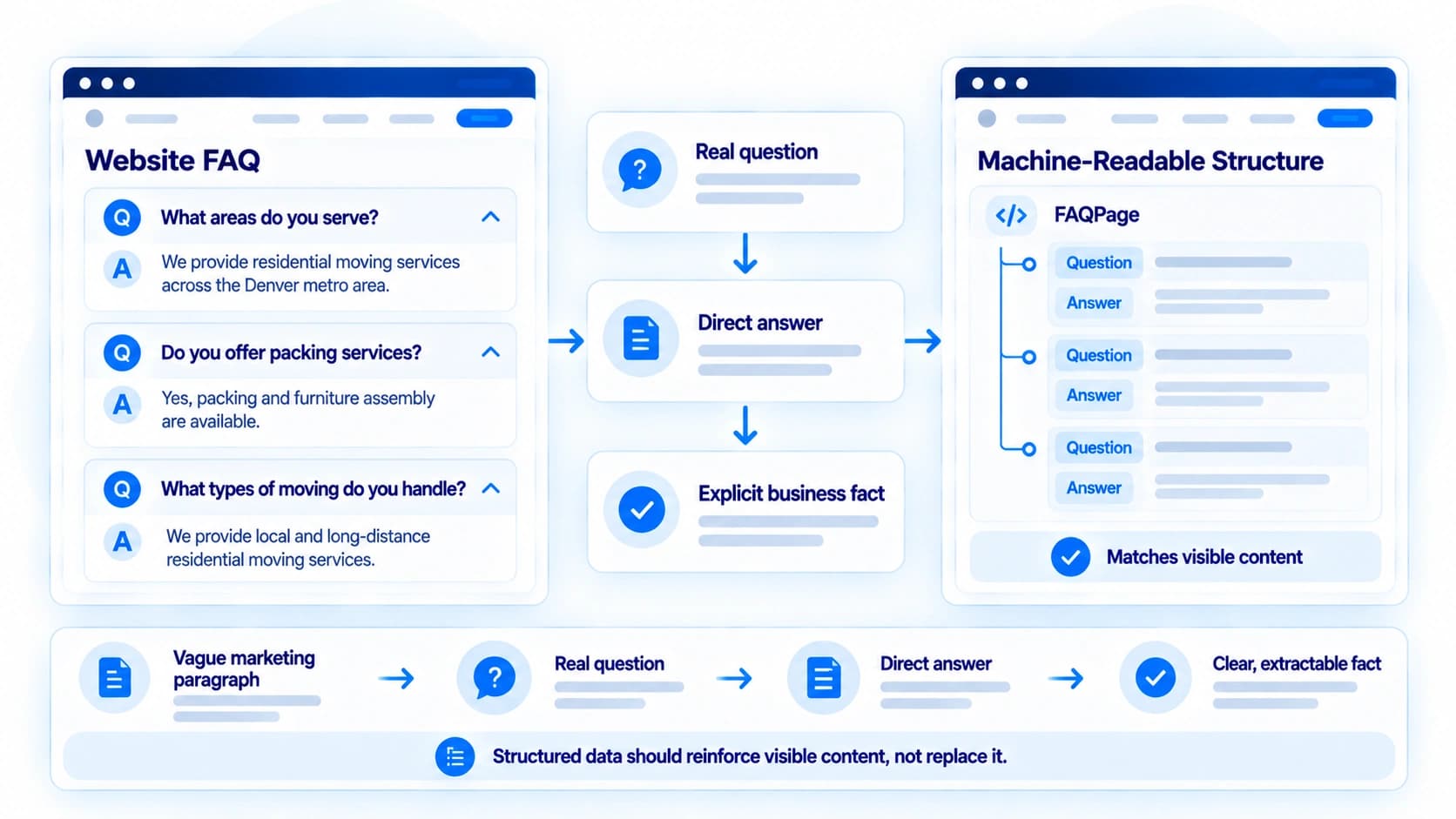
A genuine FAQ section, real questions phrased the way people actually ask them, followed by direct two- or three-sentence answers, is one of the most useful things you can add for both human visitors and automated readers. It forces you to state facts explicitly instead of burying them inside longer marketing paragraphs.
If you add FAQPage structured data to describe that content, make sure it matches the visible text exactly, and don't expect it to produce a Google rich result on its own; Google stopped showing those in May 2026. Structured data should reinforce what's on the page, not stand in for content that isn't actually there.
Make Sure the Content Is Actually Reachable
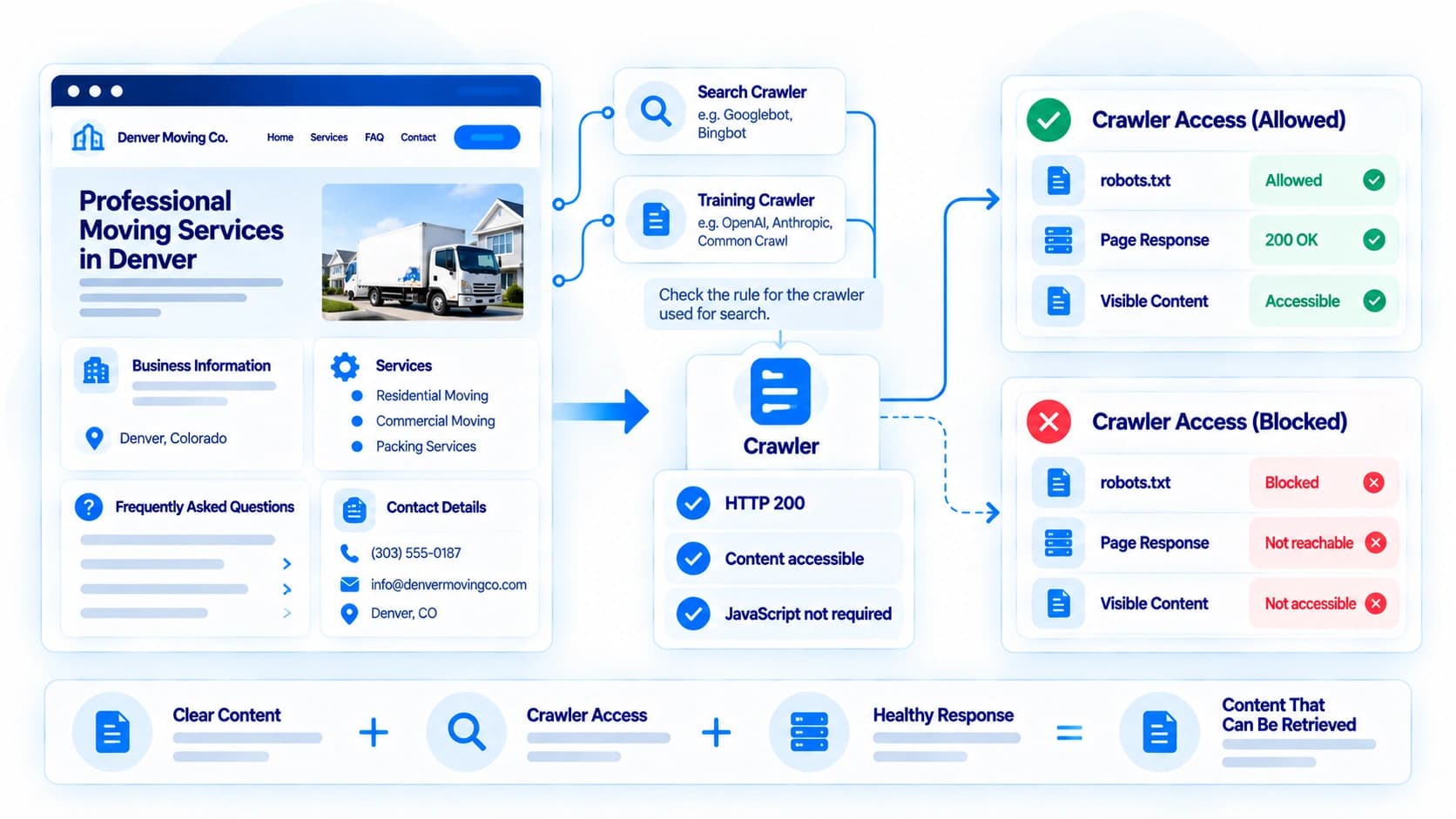
None of the above matters if an automated crawler can't reach it. Confirm your core pages return real text content without requiring JavaScript to render first, that your robots.txt file doesn't unintentionally block pages you want found, and that key pages return healthy status codes rather than errors or broken redirects. Several providers also run separate crawlers for search and for training their models, controlled independently in robots.txt, so check the rule that actually governs search, not just the one you remember blocking.
A page that states every fact perfectly but never loads for a crawler is, functionally, invisible. And the reverse trap exists too: a site can be fully reachable and still not show up in a given AI answer, for reasons that have nothing to do with technical access.
Where Structured Data Fits
Once the above is in place, Schema.org markup (Organization, LocalBusiness where relevant, Service, FAQPage) adds a machine-readable layer that mirrors your visible content. It can make disambiguation easier and reduce ambiguity, but Google has said structured data isn't required for its generative AI search features, and no major AI provider documents markup as something that determines whether a page gets used or cited. It works best as reinforcement for content that's already clear, not as a substitute for content that isn't.
What "AI-Ready" Can and Can't Do
Every recommendation above is something you can verify yourself, and each one genuinely improves the conditions under which an automated system can find, interpret, and use your website's information. None of them is a guarantee.
Making these changes doesn't mean ChatGPT will recommend you, doesn't mean Google's AI Overviews will cite you, and doesn't mean any other assistant will mention your business on any specific query. Whether that happens depends on the specific system, the specific question, what else it retrieves, and a retrieval and synthesis process no provider publishes in detail. What these changes do is remove some website-side barriers that can make your information harder for automated systems to find, interpret, or use. That's the part actually within your control.
Implementation Checklist for Web Teams
Key action items to work through before assuming automated systems can find what they need:
Business Identity
- Official business name, address (or service area), and a working phone/email stated in visible text.
- Name and contact details match exactly across the site, structured data, and external profiles.
Content & Structure
- Services described in specific, checkable sentences, not abstract marketing language.
- One informative H1 per page, with H2s and H3s nested in logical order.
- A genuine FAQ section with real questions and direct answers.
Technical Access & Structured Data
- Core page content renders without requiring JavaScript.
- robots.txt doesn't block pages you want AI systems to read.
- Organization/LocalBusiness and FAQPage JSON-LD present where relevant, matching the visible text.
Frequently Asked Questions
What does "AI-ready" actually mean for a website?
It means the facts an automated reader needs (your business identity, what you do, where, and how to reach you) are stated explicitly in visible text, organized predictably, and technically reachable, rather than implied, scattered, or hidden behind scripts or images.
Does being AI-ready guarantee AI citations?
No. It removes your own website as a likely reason you're missing from an answer. Whether a specific assistant actually mentions or links to you on a specific query depends on the system, the question, and a retrieval process no provider publishes in detail.
Does adding structured data make a website AI-ready?
Not by itself. Structured data reinforces facts that are already stated clearly in your visible text, and Google has said it isn't required for its generative AI search features. Markup describing content that isn't actually on the page is a bigger risk than having none.
Do I need to create special content just for AI systems?
No documented guidance from a major provider asks for that. The same clear, specific, accurate content that serves a human reader is what an automated one needs too; there's no separate "AI content" to write.
Does robots.txt affect AI visibility?
It can. A robots.txt rule that unintentionally blocks the crawler a provider uses for search, as opposed to one it uses only for training, is one of the more common, entirely avoidable reasons a site doesn't show up. Check the rule for the specific crawler that governs search.
Final Takeaway
Making a website AI-ready isn't a redesign project. It's a series of specific, checkable improvements: a consistent, plainly stated identity; concrete service descriptions instead of marketing language; a logical heading structure; a genuine FAQ section; accurate structured data; and confirming a crawler can actually reach the content in the first place.
This checklist maps loosely onto AI Citation Analysis's own C-I-T-E-D framework (Clarity, Identity, Trust, Expertise, Discoverability), which is its scoring system and not an official standard: business identity work supports Identity, specific service descriptions support Clarity, and confirming crawl access supports Discoverability. Work through the changes roughly in the order above, and you'll have addressed most of the common website-side obstacles that make a site hard for an automated system to understand. That's the part of the process within your control; external sources, retrieval systems, and how a specific model chooses to respond are not.
Sources
- Google Search Central: FAQ rich result removal (documentation updates) · Google Search Central
- Google's guide to generative AI features in Search · Google Search Central
- Overview of OpenAI's crawlers · OpenAI
- Does Anthropic crawl data from the web, and how can site owners block the crawler? · Anthropic