What Makes a Website Easier for AI Systems to Understand?
A practical guide to heading hierarchy, FAQ sections, semantic HTML, and page layout, the structural choices that help answer engines extract and understand what your website is actually saying.
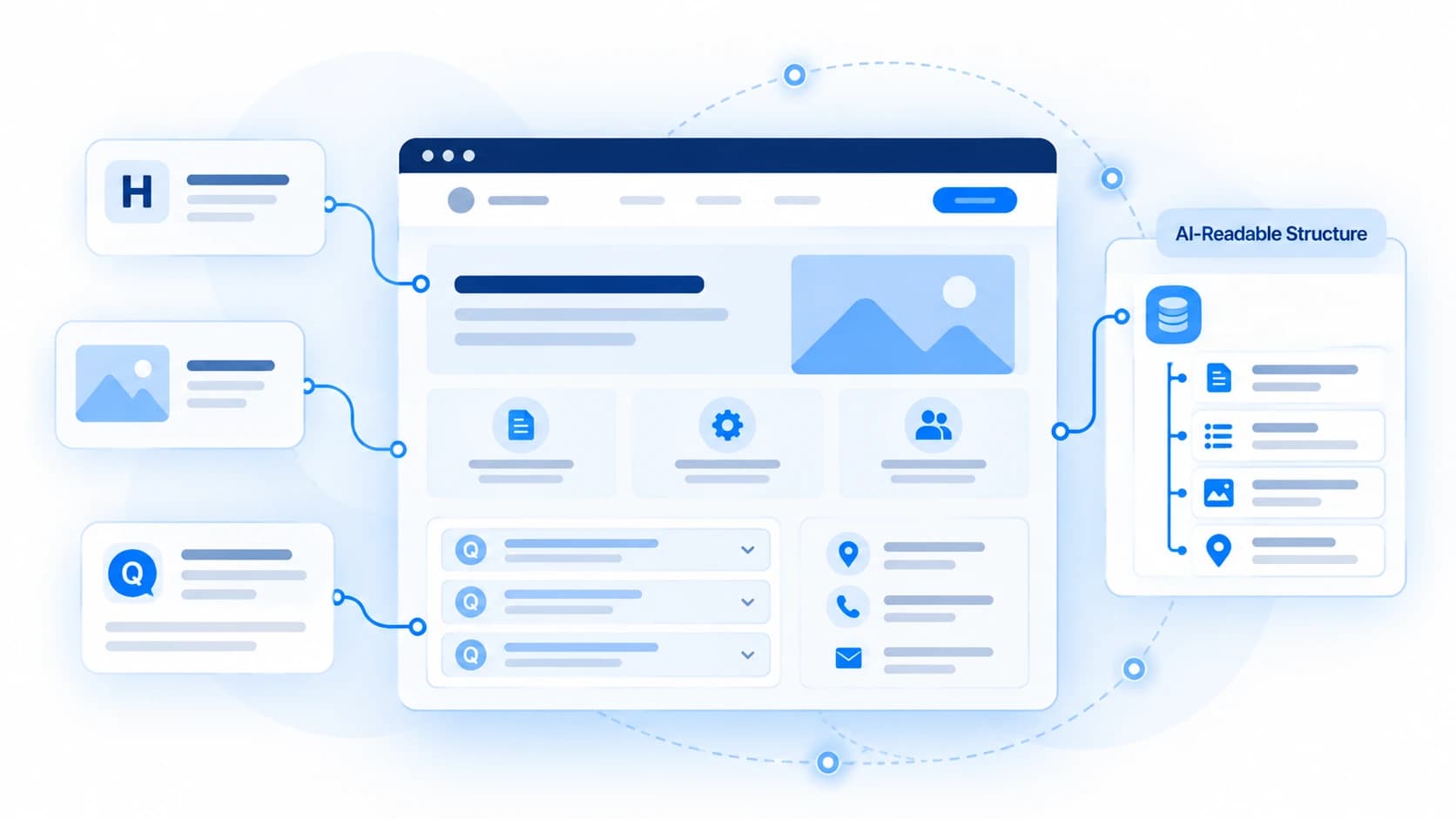
The websites that are easiest for AI systems to understand tend to share three structural traits: a clear heading hierarchy that outlines what's on the page, explicit statements instead of implied context, and layout that groups related information together instead of scattering it. That combination is usually what people mean by structuring a website for answer engines, sometimes shortened to answer engine optimization, or AEO: organizing and labeling content so an automated reader can find the right passage and trust what it says.
Humans fill in structure automatically. A visitor who sees a hero photo of a roof, a phone number in the header, and a button labeled 'Get a Quote' instantly understands they're on a roofing company's website, even if no single sentence says so. Automated crawlers and AI parsers don't do this. They receive a stream of raw HTML text, heading tags, DOM nodes, and metadata, and they look for explicit, verifiable statements of fact: who this is, what they do, and where.
If your website relies on visual cues rather than explicit structure, automated systems are more likely to misinterpret your business, categorize it incorrectly, or pass over it while assembling an answer. This guide walks through the structural choices that make the difference (heading hierarchy, page content, FAQs, semantic HTML, and structured data) and ends with a checklist you can apply to your own site.
Website Structure for Answer Engines: H1s, FAQs and Page Layout
"Website structure" covers three layered things: the heading hierarchy that outlines a page, explicit answer-first sentences in place of vague marketing prose, and the semantic HTML and structured data that describe how the pieces relate to each other. Together, these determine whether an automated reader can quickly identify what your H1 is about, confirm what a given section actually covers, and extract a specific fact without guessing.
This sits under the broader idea of answer engine optimization, making a website's information easier for AI-powered answer engines to retrieve and use. That's a large topic on its own; this article focuses specifically on the structural part of it (headings, FAQs, and layout) rather than covering every AEO concept.
Why Heading Hierarchy Matters
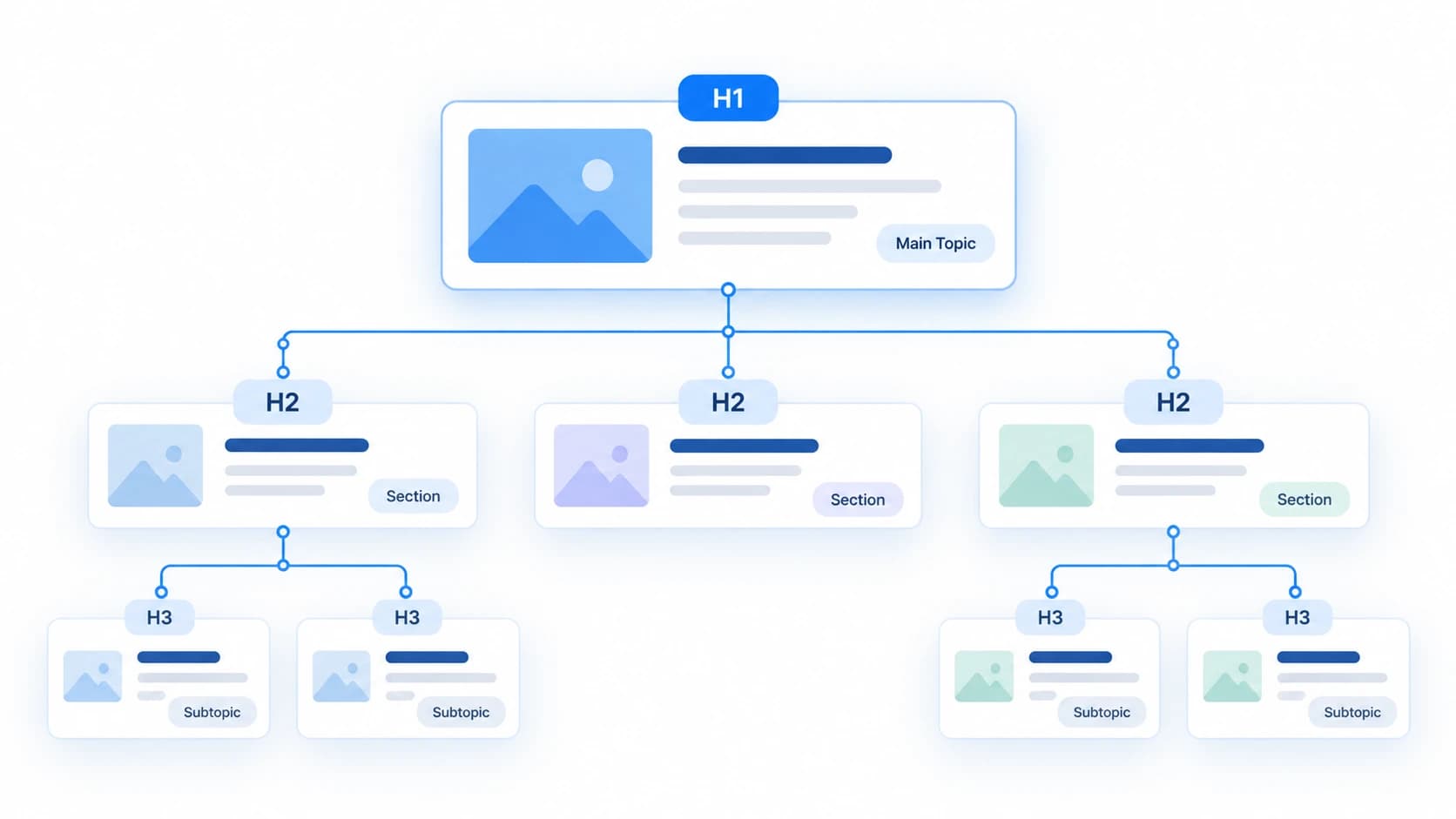
A heading tag isn't just a font-size choice. To an automated parser, your headings ARE the outline of the page: the H1 states the page's core subject, each H2 introduces a distinct facet of it, and each H3 breaks that facet into specific sub-points. A parser that can build a reliable outline can jump straight to the section that answers a given question. One that can't is left guessing where a fact belongs, or whether it belongs to this page at all.
A few structural rules keep that outline reliable:
One informative H1 per page, naming the page's actual subject ("Emergency Commercial Roof Repair Services" rather than "Welcome").
Logical nesting, H1 to H2 to H3 in order. Skipping levels, such as jumping from an H1 straight to an H4, breaks the outline a parser is trying to build.
Descriptive H2s and H3s that name what the section actually covers ("Service Coverage Areas", not "More Info"), so the heading alone tells a reader, human or automated, what's beneath it.
Dedicated pages for distinct services rather than one page with eight one-sentence bullet points. Each dedicated page gives an automated engine a deeper, more specific passage to retrieve and cite.
None of this is a documented requirement from any specific AI provider. Google has said its generative AI features don't require special formatting or markup and are rooted in its core Search ranking systems, not a separate AI-specific ruleset. Microsoft, by contrast, documents clear headings and well-labeled sections as something its AI answer surfaces are built to use. Either way, a reliable heading outline is well-established, general accessibility and usability practice, useful for people and automated readers alike, not an AI-specific trick.
How to Write Pages That Are Easier to Interpret
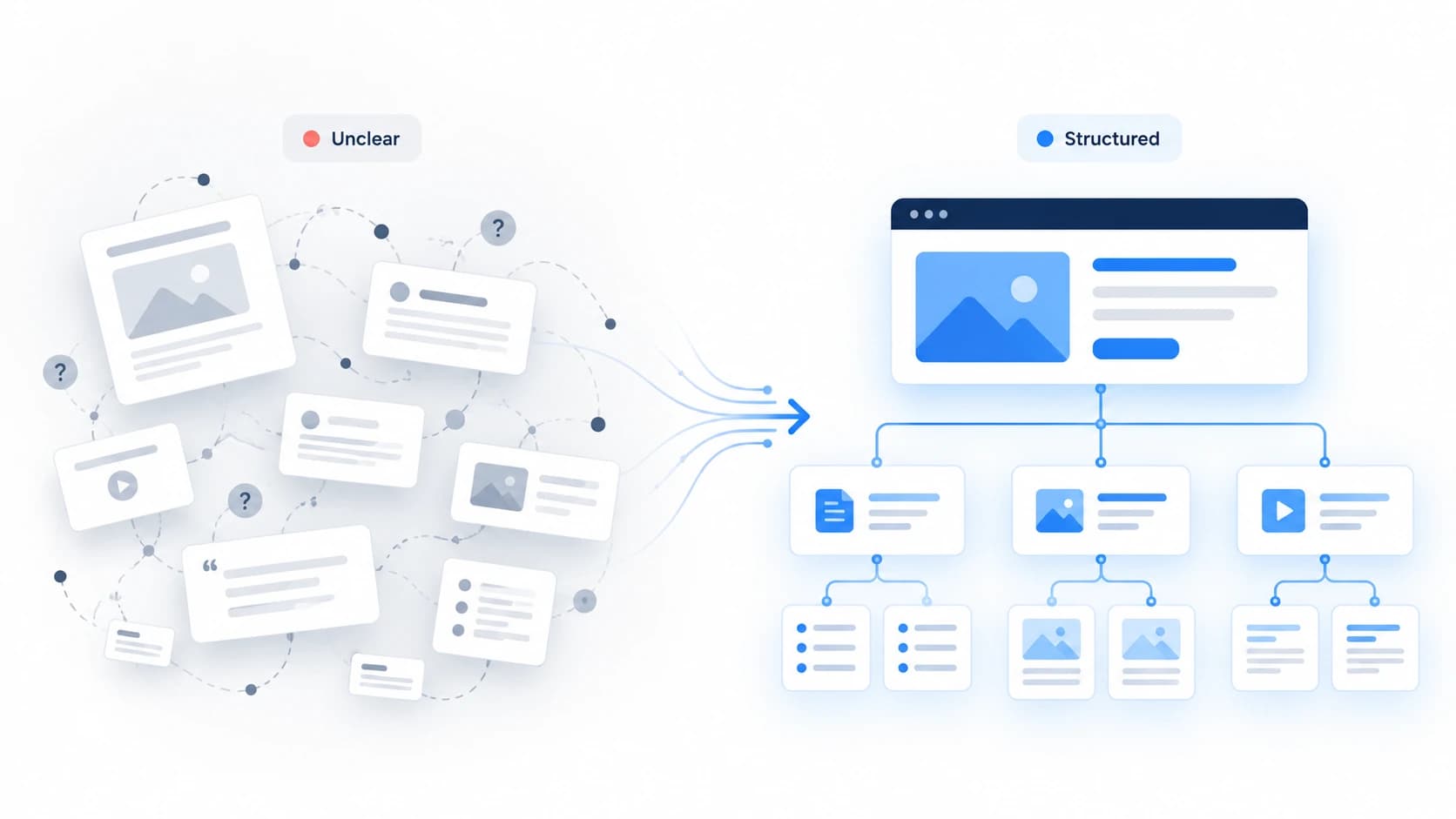
Heading structure tells a parser where to look. What you actually write there determines whether it finds a usable fact. The single most common issue on service and B2B websites is marketing copy that substitutes abstract language for concrete description, copy a human skims past without noticing, but that gives an automated reader nothing to extract.
The fix is to write answer-first: state the specific fact in the first sentence of a section, rather than building up to it. State your business identity, what you do, and where you operate explicitly, near the top of the page, instead of leaving a reader (human or machine) to infer it from a photo or a slogan.
This isn't a documented AI-provider requirement either. Google has said it doesn't require special writing for its AI features, while Microsoft's guidance for Bing and Copilot specifically favors concise, self-contained answers near the top of a section. Either way, it reads better for a person skimming the page too, which is a reasonable sign it's worth doing regardless of any one platform's stated preference.
Practical Copywriting Comparisons:
"We empower next-generation enterprises to conquer operational complexity through tailored synergy."
No identifiable service category, target market, or verifiable capability. An automated reader has nothing concrete to extract.
"We provide SOC-2 compliant inventory management software for mid-market pharmaceutical distributors in North America."
States the product type, a compliance certification, the target industry, and the territory, four separate, checkable facts.
"We provide innovative solutions for modern businesses."
Could describe almost any company in any industry. It answers no question a searcher, human or AI, is actually asking.
"We provide commercial accounting services for small businesses in Toronto, including monthly bookkeeping, payroll, and corporate tax preparation."
Names the service category, the client size, the city, and three specific service lines, enough to match a specific query.
"Transforming the way modern homeowners experience indoor comfort with passion and innovation."
An automated engine can't confirm whether this business sells air filters, installs furnaces, or writes interior design content.
"We install, repair, and service heat pumps, ductless mini-splits, and central air systems for commercial and residential customers across Greater Seattle."
Enumerates the exact service actions, the equipment types, the customer sectors, and the service territory.
FAQ Sections: Making Questions and Answers Explicit
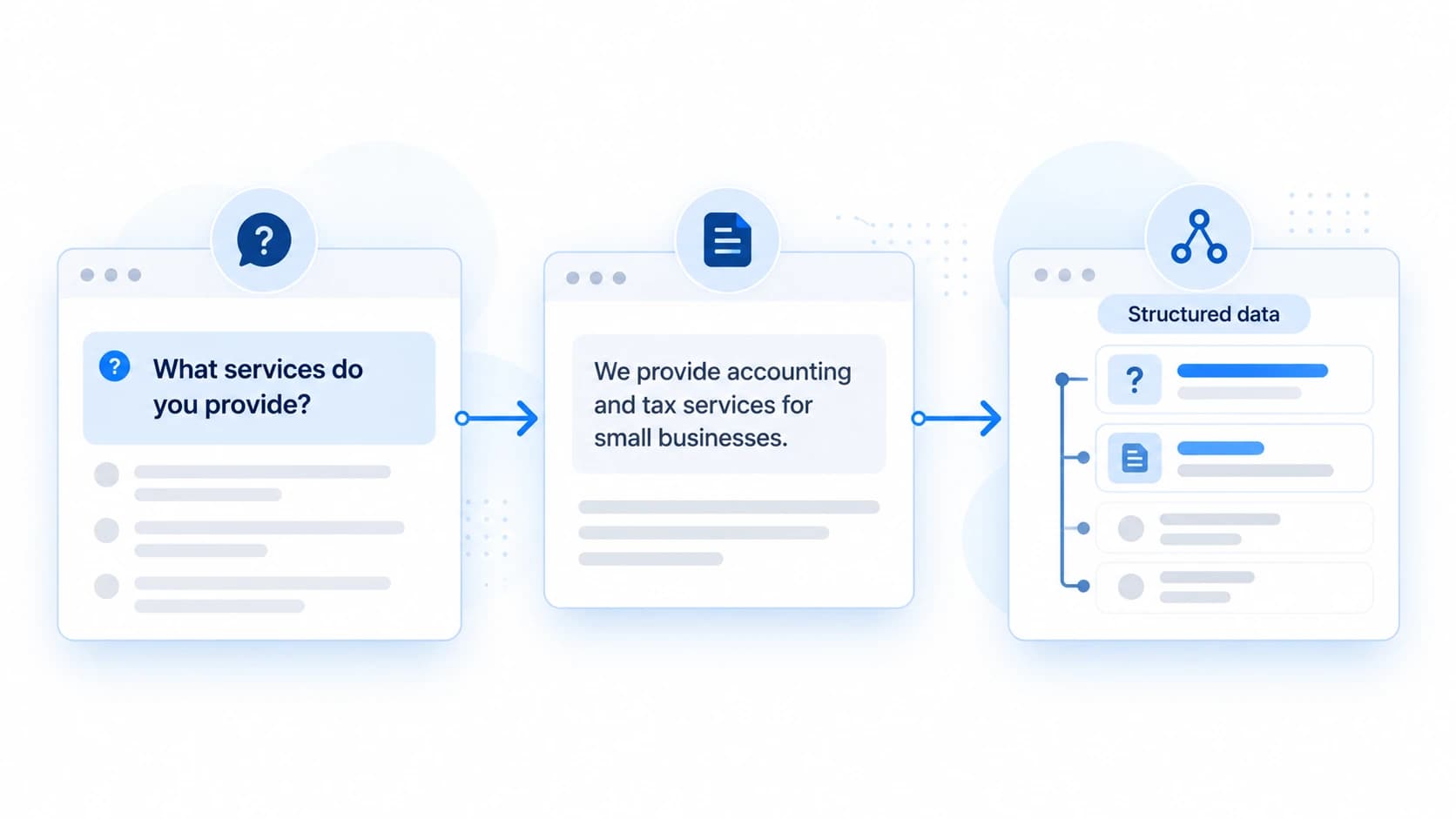
A well-written FAQ section is one of the most direct ways to hand an answer engine exactly the kind of passage it's looking for: a specific question, phrased the way someone would actually ask it, followed immediately by a direct, self-contained answer. That structure is useful on its own, independent of any markup, because it forces you to state facts explicitly rather than implying them.
Good FAQ questions mirror real search intent ("How long does a commercial roof inspection take?") rather than vague prompts ("Learn More"). Good answers are two or three sentences that fully resolve the question without requiring the reader to go elsewhere on the page.
FAQPage structured data (JSON-LD) can describe that same question-and-answer content in a machine-readable format, but it's worth being precise about what it currently does. Google stopped showing FAQ rich results in its search listings in May 2026, so FAQPage markup no longer earns that specific visual treatment there. It still reinforces content that's already visible on the page for any system that reads structured data, but it doesn't replace the need to actually write clear answers, and it doesn't guarantee a citation from an AI assistant or any other specific outcome. Structured data that describes content the page doesn't actually contain can hurt more than it helps, since it creates a mismatch between what's marked up and what's visible.
Semantic HTML and Page Structure
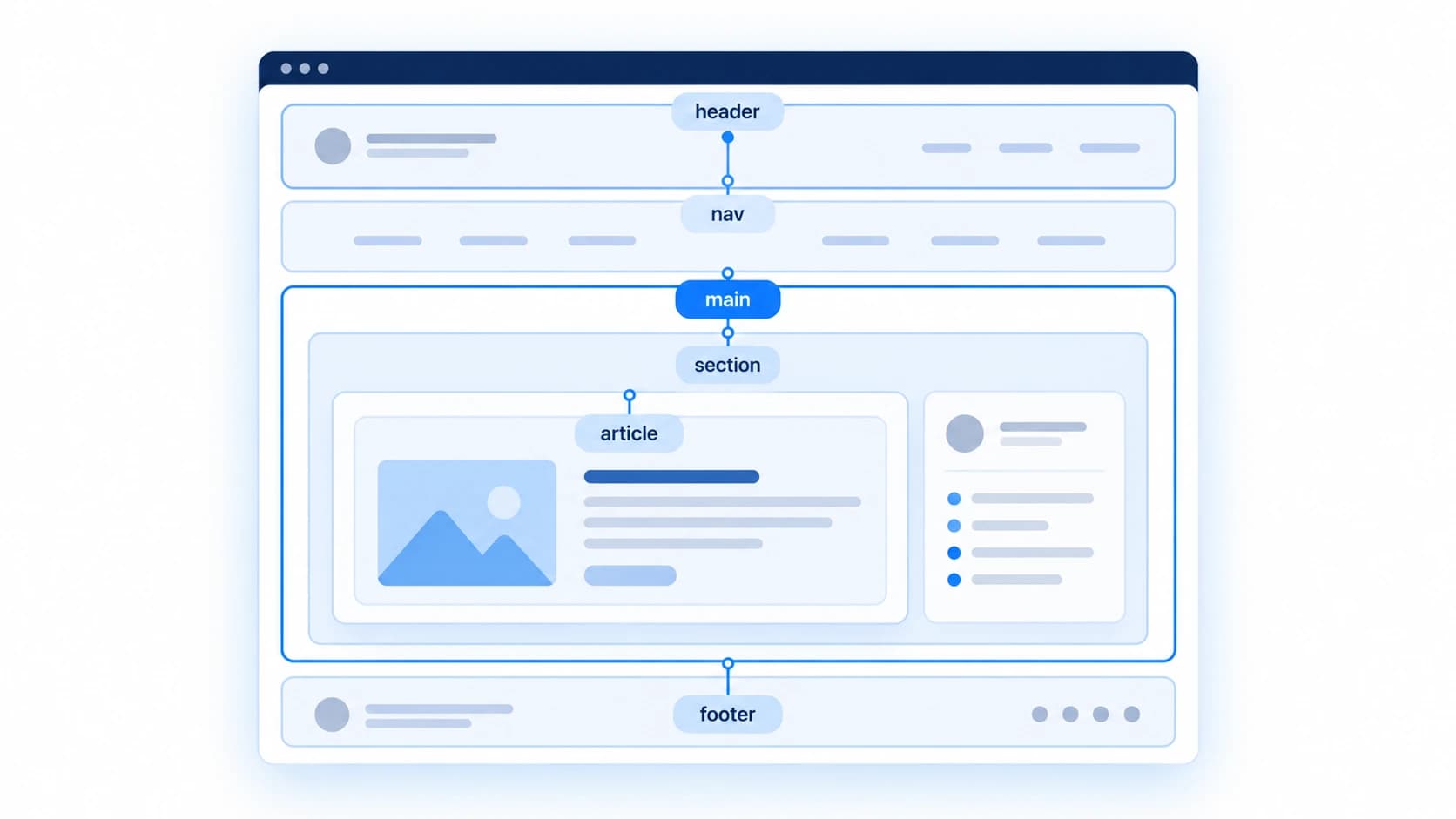
Beyond headings, the HTML elements you use to structure a page give a parser additional signal about how content relates. Semantic elements like header, nav, main, article, section, and footer describe the role of each region, not just its position, which is different from building the same layout entirely out of generic div elements.
A few practical habits reinforce this: use a nav element for your primary navigation links, wrap distinct topics in their own section, use real list elements (ordered or unordered lists) for enumerable items like service lists or steps rather than line breaks, and link related pages to each other with descriptive anchor text. Each of these gives an automated reader a clearer signal about where one idea ends and the next begins.
Structured Data: Reinforcing What the Page Already Says
Structured data (Schema.org JSON-LD) acts as a structured dictionary layered on top of your visible content, explicitly labeling facts your text already states. It's not a substitute for that text: Google has said structured data isn't required for its generative AI search features, and no major AI provider documents markup as something that determines whether a page gets used or cited. Not every site needs every schema type, either. A single-location service business benefits from LocalBusiness; a purely online SaaS company generally doesn't need it at all.
| Schema.org Type | What It Clarifies | When It's Relevant |
|---|---|---|
| Organization | Official name, logo, contact points, and social profiles. | Most business websites. |
| LocalBusiness | Physical address, service area, and hours. | Businesses with a physical location or defined service area. |
| Service / Product | What you deliver, to whom, and where. | Sites with distinct, describable offerings. |
| FAQPage | Question-and-answer pairs that already appear on the page. | Pages with a genuine, visible FAQ section. |
| Person / Author | Credentials attached to an article or byline. | Content where a named author's expertise is relevant. |
Common Website Structure Mistakes
A handful of structural patterns show up repeatedly, and each one makes a page harder for an automated reader to interpret, independent of how good the underlying business is.
| Problem | Unclear Example | Clearer Example |
|---|---|---|
| Text trapped in images or PDFs | Pricing shown only inside a downloadable PDF | Pricing listed as page text, with a PDF offered as an optional download |
| Skipped heading levels | Page jumps from H1 straight to H4 | H1 to H2 to H3, in order, with no levels skipped |
| Contradictory facts | Different phone numbers in the header and footer | One phone number, matching the number in structured data |
| Content that requires JavaScript to appear | Core text is empty until client-side scripts run | Core text is present in the initial server-rendered HTML |
Implementation Checklist for Web Teams
Key action items to work through before assuming automated systems can find what they need:
Heading Hierarchy
- One informative H1 per page, naming the page's actual subject.
- H2s and H3s nested in order, with no heading levels skipped.
- Every heading describes what the section beneath it actually covers.
- Distinct services or products each have their own dedicated page.
Page Content & Specificity
- Business identity, core offering, and location stated explicitly near the top of the page.
- Concrete, specific descriptions in place of abstract marketing language.
- Service pages answer a specific question rather than listing generic bullet points.
FAQ Sections
- Questions phrased the way a real person would search.
- Each answer is direct, self-contained, and two to three sentences long.
- FAQPage structured data, if used, matches the visible questions and answers exactly.
Semantic HTML & Structured Data
- Semantic elements (nav, main, section, footer) used for their actual role, not just generic div elements.
- Real list elements used for enumerable items like services or steps.
- Organization or LocalBusiness JSON-LD present where it's actually relevant, and matches the visible page text.
How C-I-T-E-D Relates to Website Structure
This article sits mainly under Clarity in AI Citation Analysis's own C-I-T-E-D framework (Clarity, Identity, Trust, Expertise, Discoverability), which is its scoring system and not an official Google, OpenAI, or Anthropic standard: clear headings, explicit answer-first statements, and a genuine FAQ section are largely what "clarity" means in practice. A few of the other categories connect too, without being the main focus here. Stating your business name and contact details consistently supports Identity. Semantic HTML and accurate structured data support Discoverability, how easily your content can be found and parsed at all. Trust and Expertise depend more on what you publish (policies, credentials, real depth) than on how a page is structured, so they're only loosely related to the topic of this article, and covered in more depth elsewhere.
How AI Citation Analysis Can Help
Everything in this article is something you can implement yourself, by editing your own headings, FAQ content, and markup. If you'd like an objective check on how your site currently reads to an automated system, AI Citation Analysis runs a free scan that inspects your public pages for these same structural signals, heading hierarchy, FAQ presence, structured data, and more, and organizes the findings using the C-I-T-E-D framework.
It's a readiness check on your own website, not a citation tracker: it can't tell you what ChatGPT, Perplexity, or any other assistant will say about you, and no scan can guarantee a specific outcome. What it can do is point out which structural signals are currently missing or unclear.
Frequently Asked Questions
Does heading structure actually affect whether AI systems can use my page?
It affects whether an automated reader can reliably tell what each part of your page is about. Google has said it doesn't require any special formatting for its AI features specifically, but a clear, logically nested heading structure is well-established accessibility and usability practice, and Microsoft documents structure like this as something its AI answer surfaces are built to use.
Does adding FAQ content actually help AI systems understand a page?
A genuine FAQ section, a real question followed by a direct, self-contained answer, gives an automated reader an explicit statement of fact instead of one it has to infer from surrounding context. That's useful independent of any markup. Whether a specific assistant treats FAQ content any differently from the rest of the page isn't something any provider documents.
Does FAQ schema guarantee my content gets used by an AI assistant?
No. FAQPage structured data describes content that's already visible on the page in a machine-readable format; it doesn't force any system to read, use, or cite that content, and Google's FAQ rich results, the one concrete benefit it used to offer in Google itself, stopped appearing in May 2026.
Can a website be technically valid but still unclear to an automated reader?
Yes. A page can pass HTML validation and still bury its actual facts in vague marketing language, scattered across paragraphs, or trapped inside an image. Structure gives a parser a place to look; the words you actually put there determine whether it finds anything specific.
Should every page on my website have its own FAQ section?
Not necessarily. A forced, generic FAQ section adds little if the real questions are already answered directly in the page's main copy. FAQ sections are most useful where readers genuinely arrive with a specific, recurring question, like pricing, process, or eligibility, that the rest of the page doesn't already answer directly.
Final Takeaway
Structuring a website for AI comprehension doesn't mean stripping away visual design or brand voice. It means making sure a clear heading hierarchy, explicit statements, a genuine FAQ section, and accurate structured data sit underneath that design, so an automated reader can extract the same facts a human visitor would infer.
Get the structure right, and the benefit isn't limited to any one AI assistant or search engine: it's easier to understand for every system that reads it, and for the people you're actually trying to reach.
Sources
- AI features and your website · Google Search Central
- Google's guide to generative AI features in Search · Google Search Central
- Google Search Central: FAQ rich result removal (documentation updates) · Google Search Central
- Understand how structured data works · Google Search Central
- Optimizing your content for inclusion in AI search answers · Microsoft Advertising
- HTML elements reference · MDN Web Docs